
How to use DaysHere
To start with DaysHere, add your passport, choose a country, confirm its stay rule and enter your dates. The app then shows the days you have left and your last allowed day. This guide walks through each step on the app’s real screens, using sample trips by a traveller with a Canadian passport.
Last updated 6 November 2026
How to set up your first country
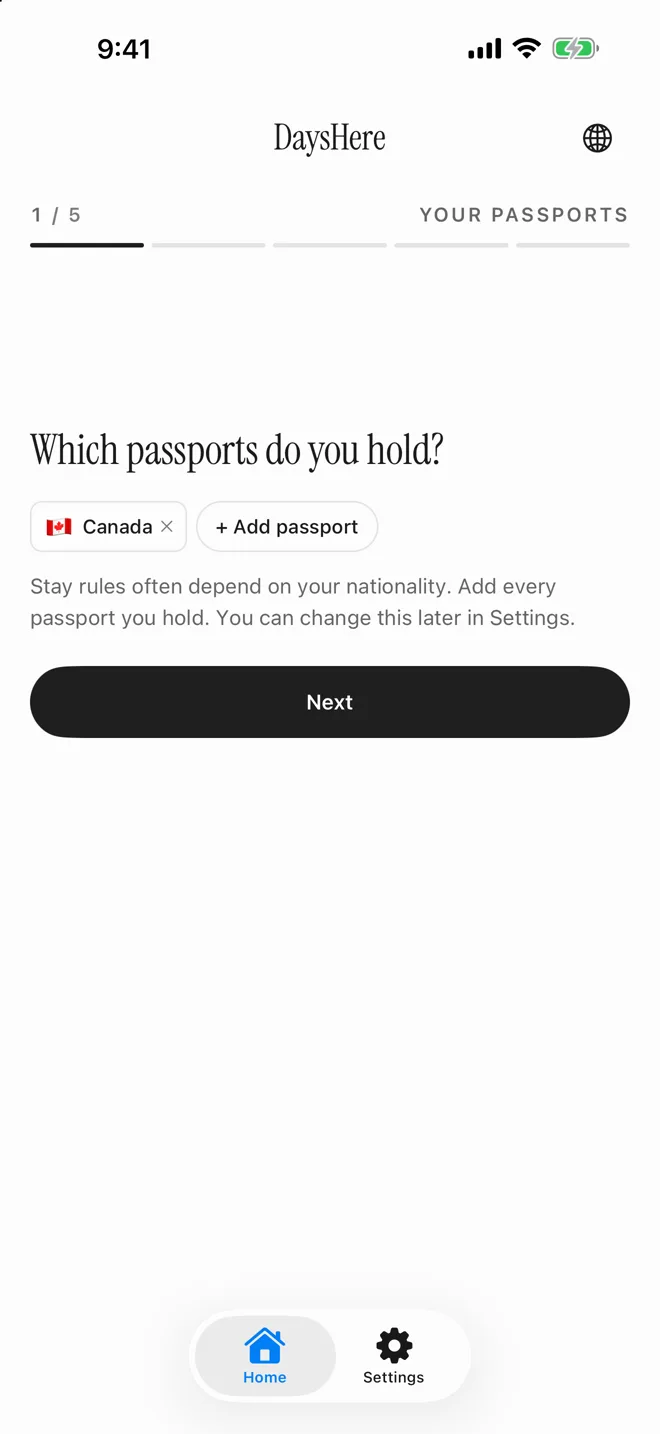
Opening the app for the first time offers automatic tracking, which you can skip with “Not now”. A five-step setup then asks for what the count needs:
- Your passports. Stay rules often depend on nationality, so add every passport you hold.
- The country you are in now, or plan to visit.
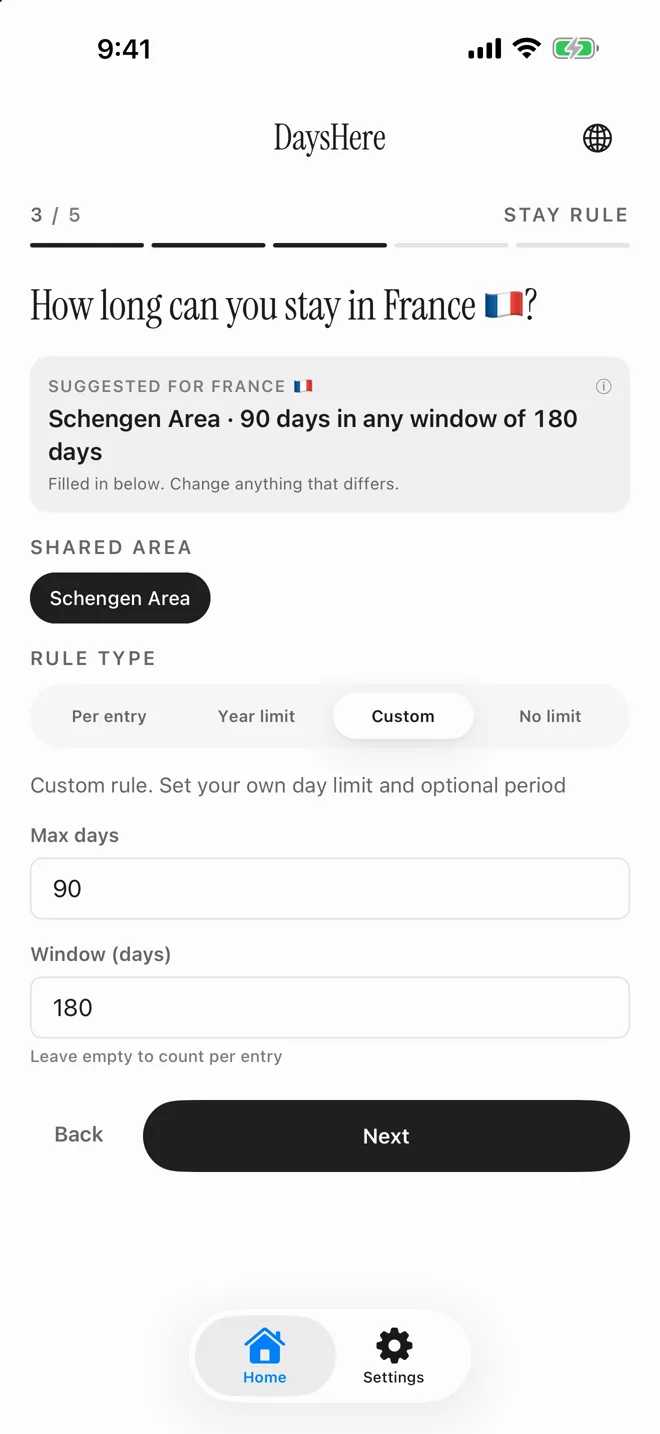
- Its stay rule. DaysHere suggests one where it can and fills it in for you to check. Rules vary, so confirm it with official government sources.
- Whether you are already there, or still planning to enter.
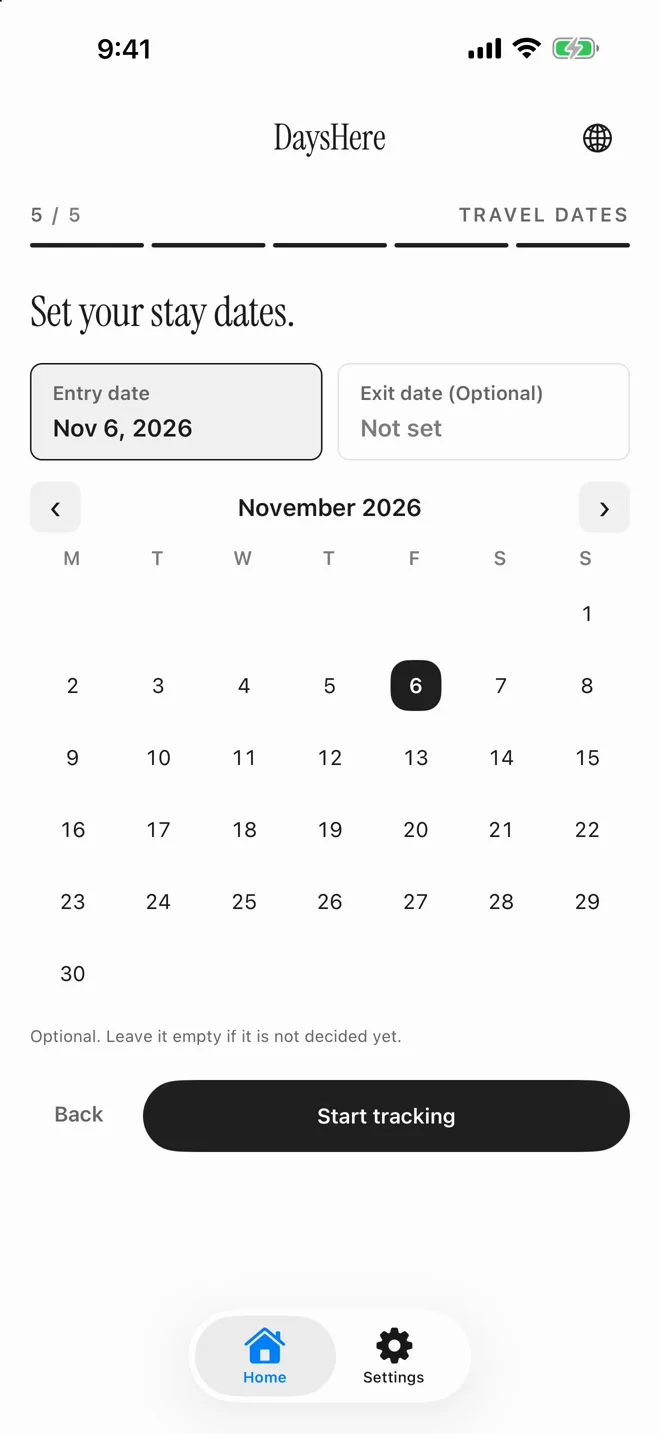
- Your entry date, and an exit date if you know it. Leave the exit date empty if it is not decided.
How to read the Home screen
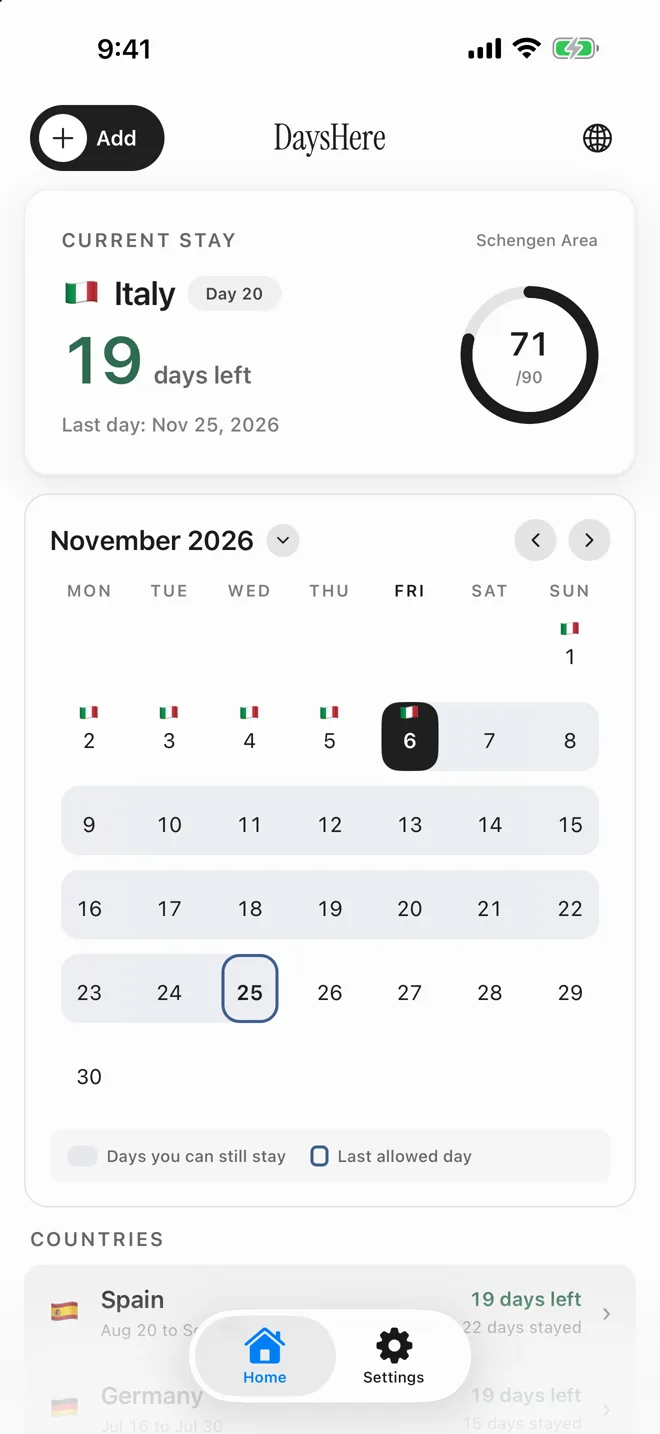
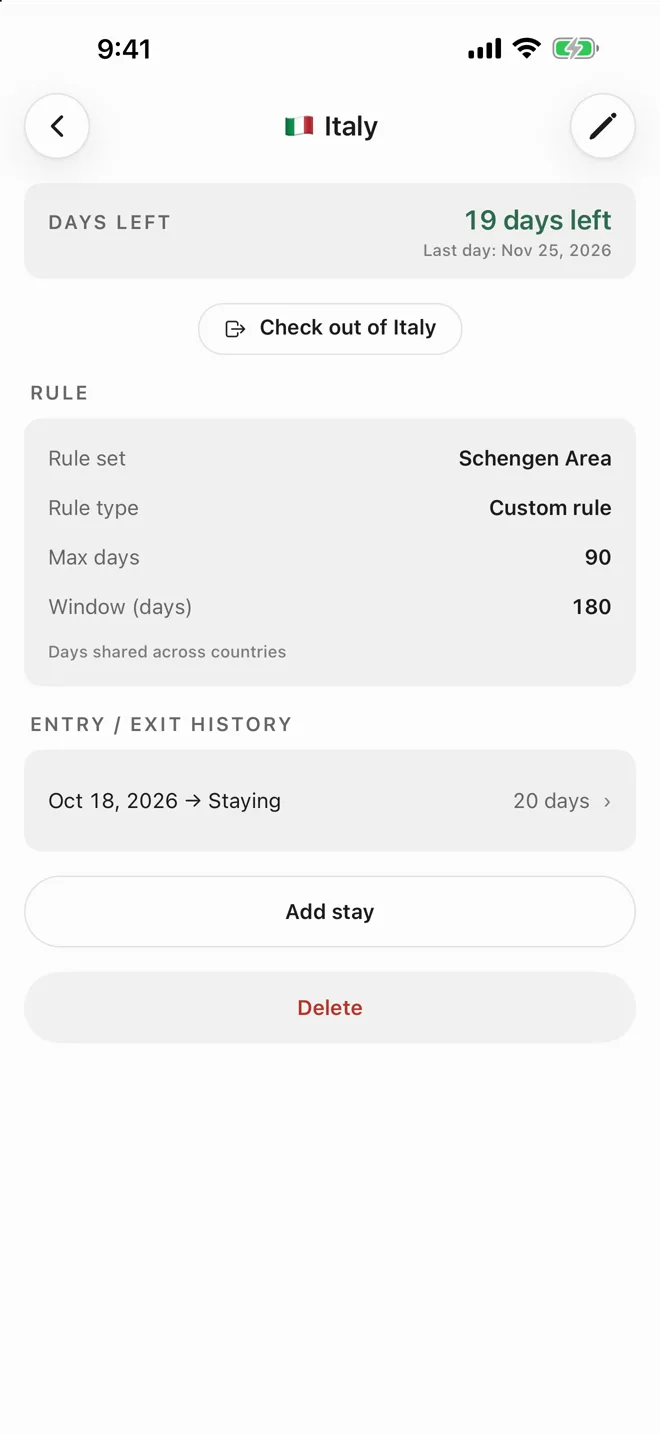
The Current stay card answers the main question: how many days you have left and your last allowed day. The ring shows how much of the allowance is used. In this example, the traveller is on day 20 in Italy and has used 71 of 90 Schengen days, which leaves 19 and a last day of 25 November.
On the calendar, the shaded days are the ones you can still stay, and the outlined day is the last one allowed. Below it, each country lists its dates and what is left. Countries on a shared rule, such as Spain, Germany and France here, show the same remaining days.
How to log a border crossing
Open the country from the Home screen and tap “Check out” when you leave. To start or record a stay, tap Add on the Home screen, or a future day on its calendar to open the form with that date filled in. Every stay can be opened and edited later, so past trips can go in at any time.
Both the entry day and the exit day count as days of stay. A day that ends one trip and starts another counts in both countries, but countries sharing one allowance count it only once.
How to check whether a planned trip fits
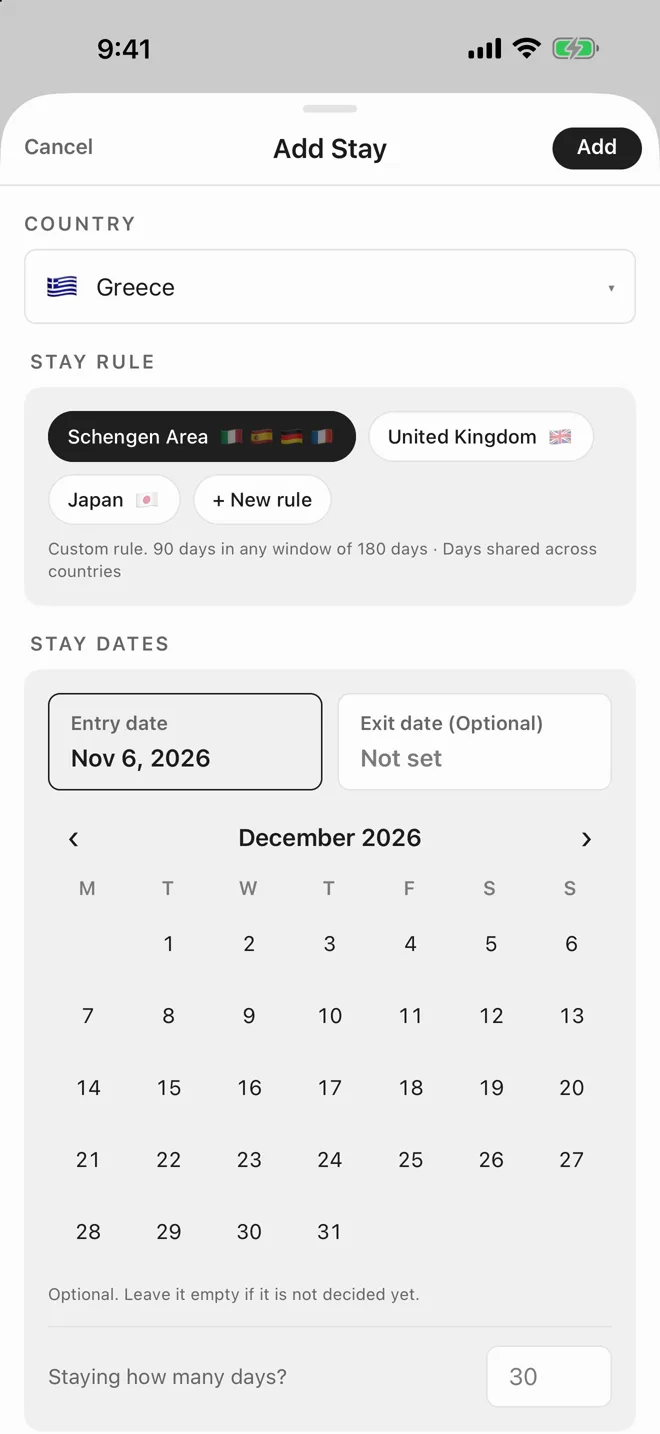
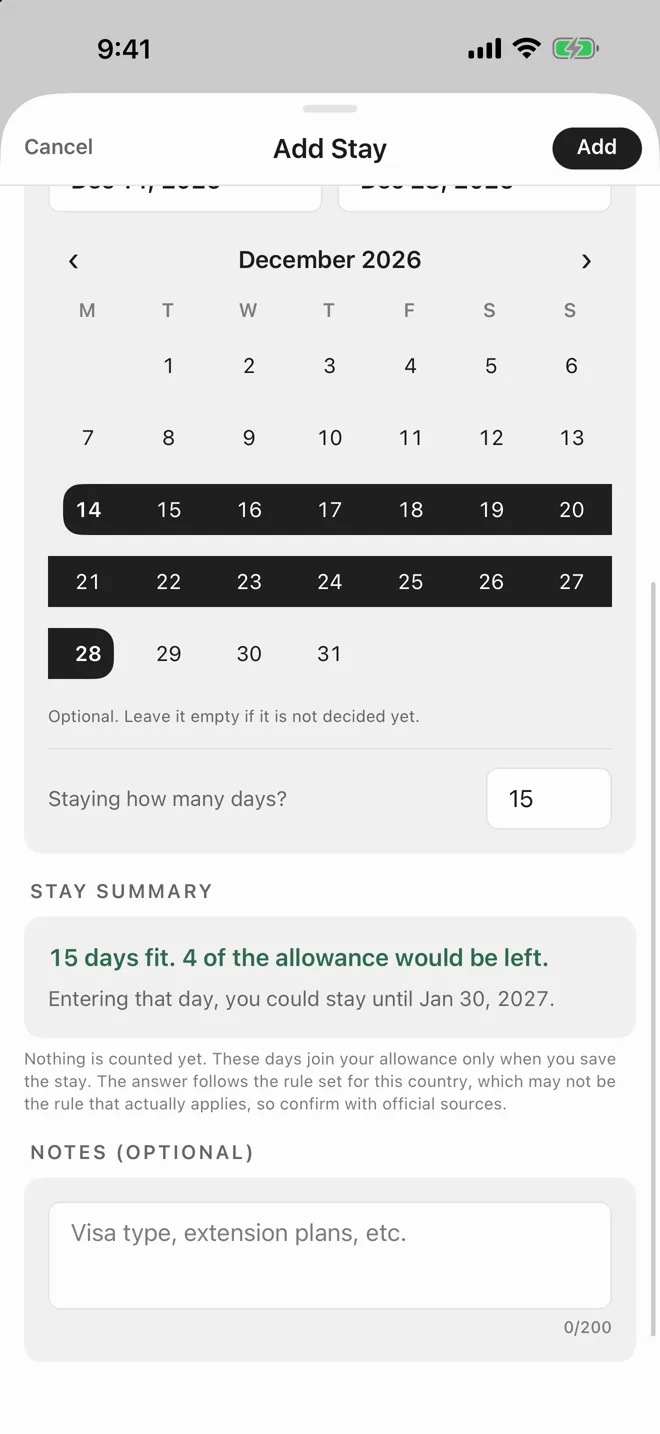
Tap Add, choose the country and pick your planned dates. Before you save anything, Stay summary says whether the trip fits, how much of the allowance would be left, and how long you could stay if you entered on that day.
Here, 15 days in Greece in December fit, with 4 days of the allowance left. Greece also joins the Schengen rule already in use. Nothing is counted until you save the stay, so you can try as many dates as you like. To plan by length instead, type a number into “Staying how many days?”.
How to set or change a stay rule
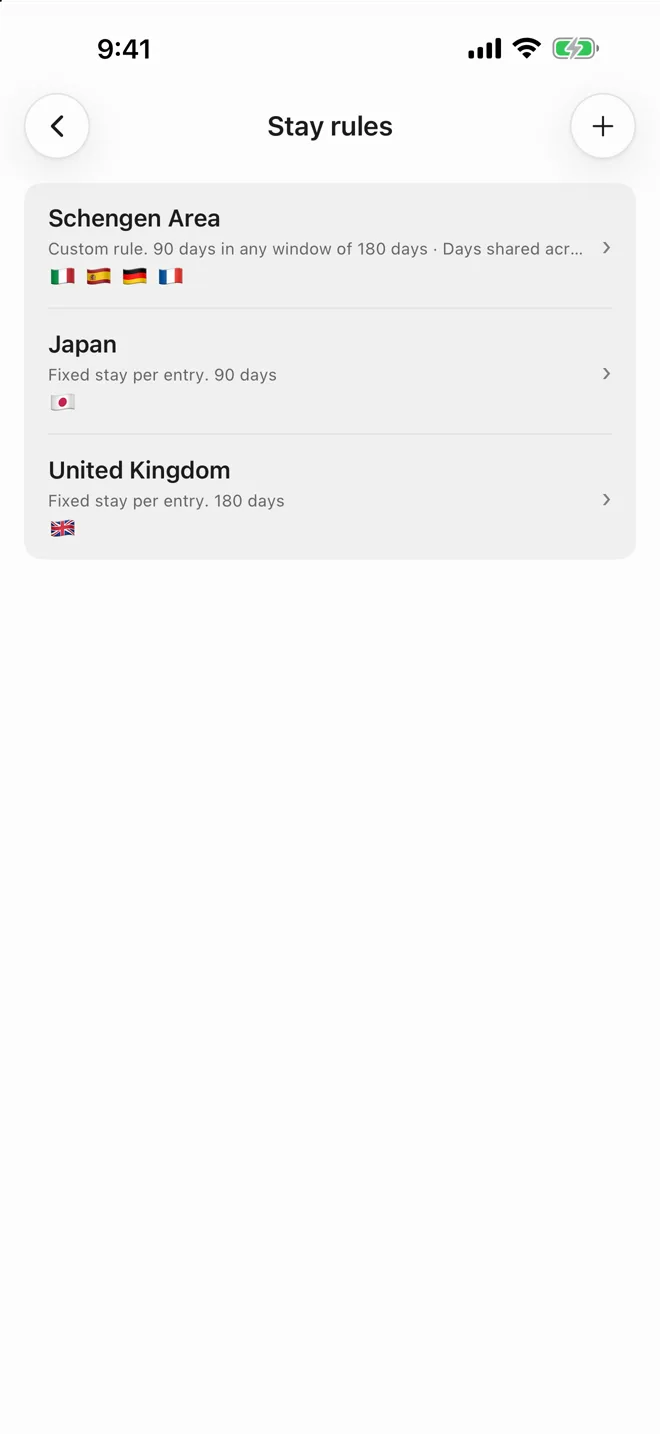
You can choose a rule while adding a country, and manage all of them under Settings → Manage stay rules. There are four types to pick from:
- Per entry: a fixed number of days for each visit.
- Year limit: a cap on days in a calendar year.
- Custom: your own day limit, with an optional window. Schengen is 90 days in a window of 180, with the days shared across countries.
- No limit: days are counted but not capped, for your own country or a right of residence.
If your rule changes, you can apply the new one from a chosen date, so earlier stays keep the rule they were counted under.
How to turn on automatic tracking and reminders
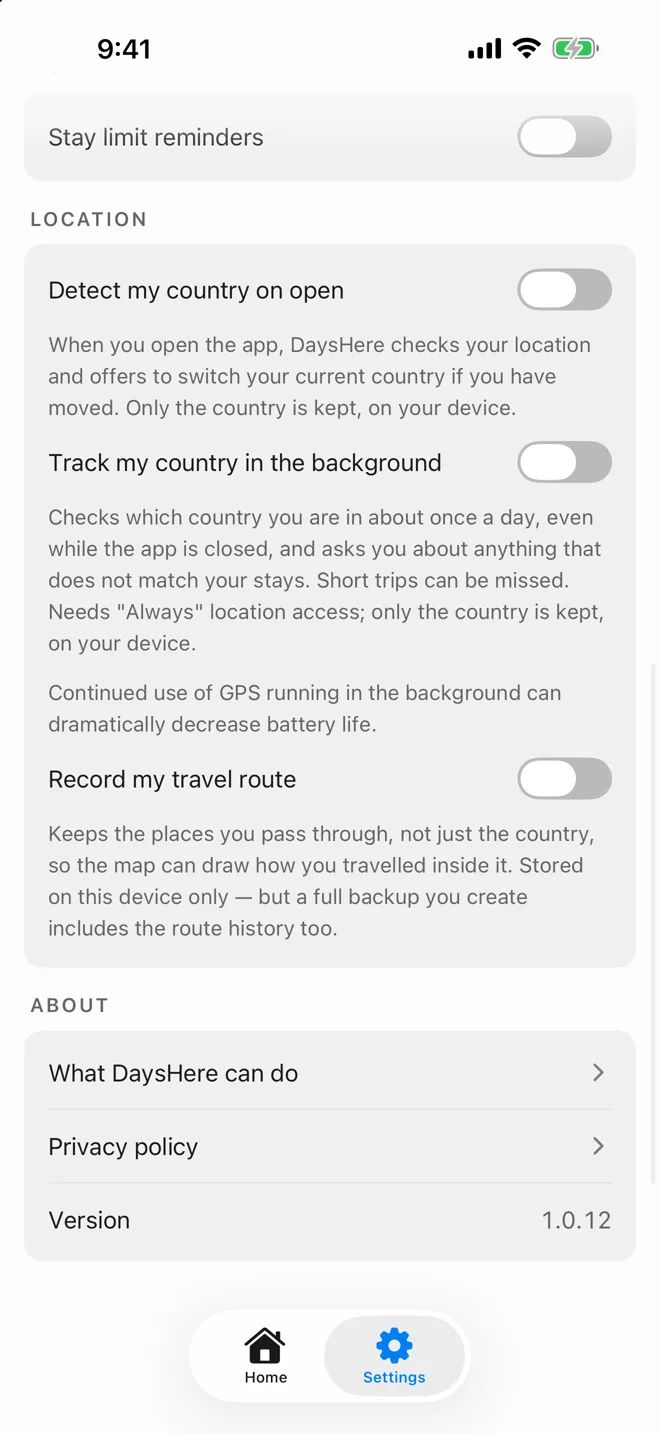
Both are optional and live in Settings. Under Location, there are three separate switches:
- “Detect my country on open” checks your location when you open the app and offers to switch your current country if you have moved.
- “Track my country in the background” checks about once a day, even while the app is closed, and switches your stay when you cross a border. You can undo the switch. It needs “Always” location access, short trips can be missed, and background GPS can reduce battery life.
- “Record my travel route” also keeps the places you pass through, so the map can draw how you travelled. It needs background tracking on.
Only the country is kept for the first two. Route history stays on your device, although a full backup you create includes it. Check the dates now and then, because automatic tracking can miss a trip.
“Stay limit reminders”, under Notifications, warn you before the last allowed day. They need notification permission for DaysHere in iOS Settings.
How to see your history and your travels
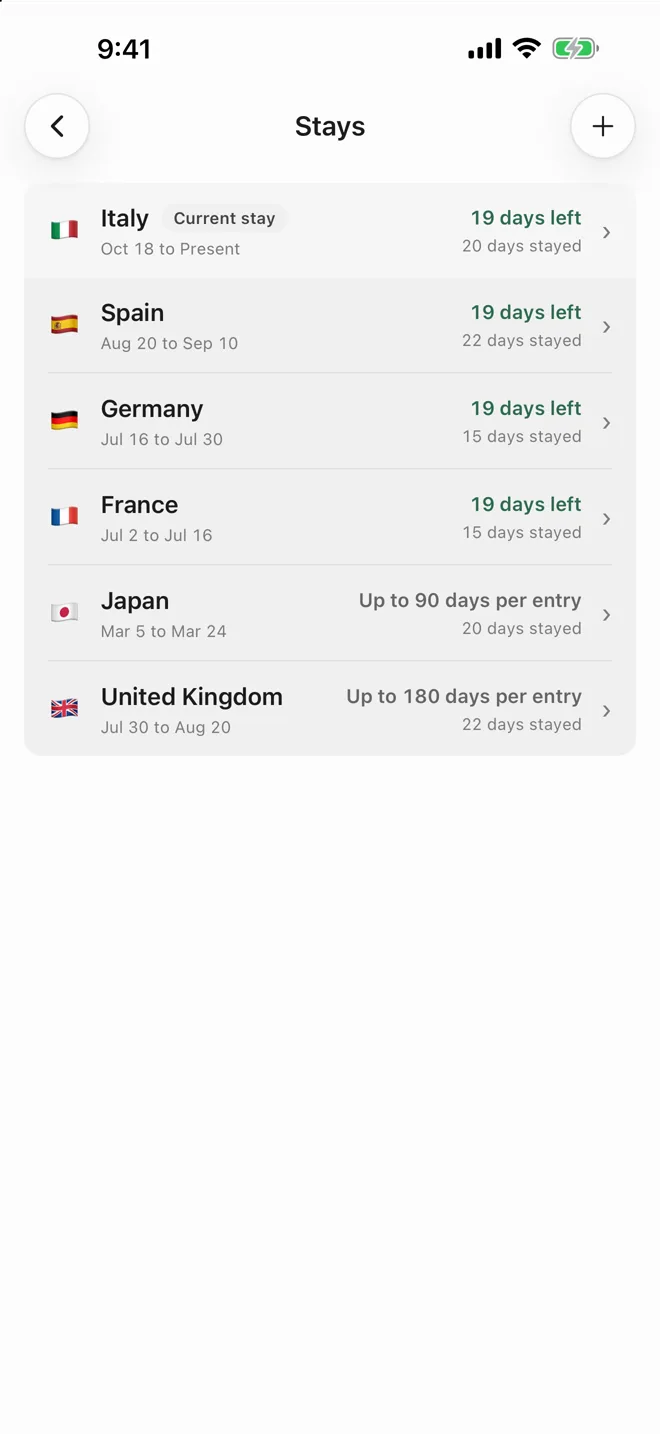
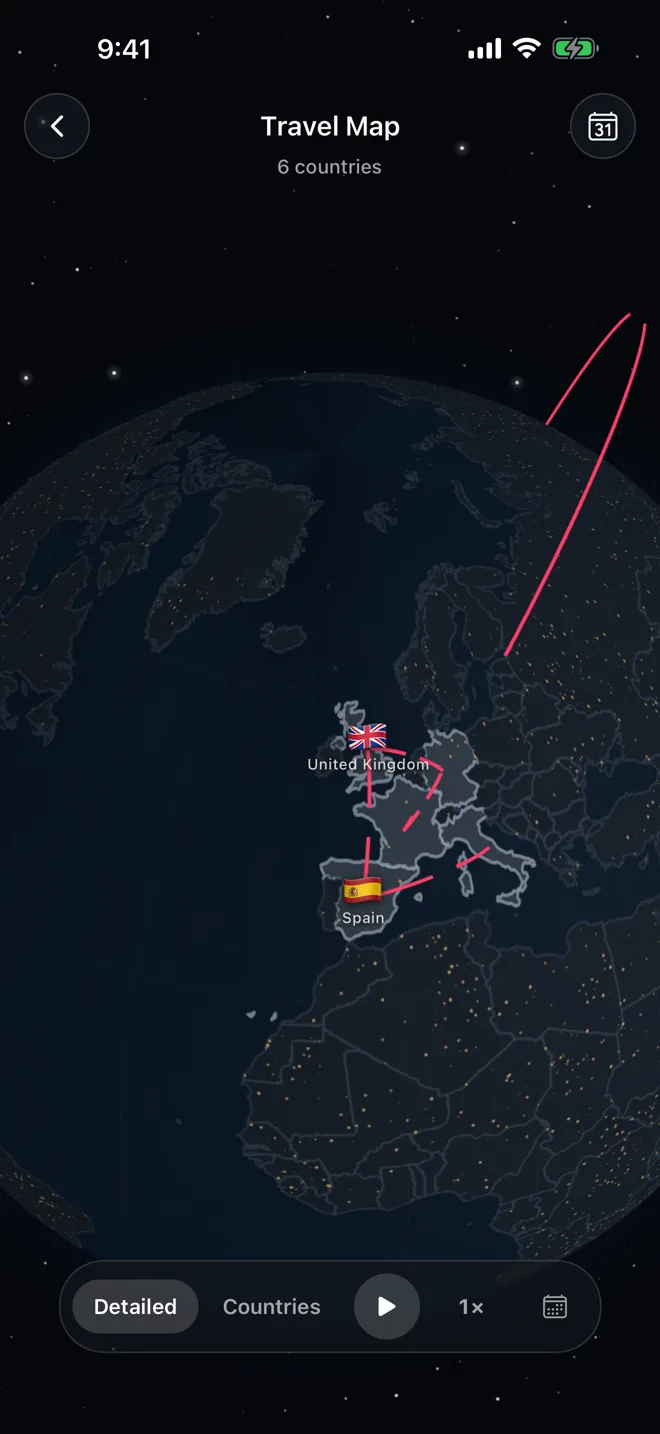
Tap “View stays” at the bottom of the Home screen for every country, with its dates, days stayed and days left. The globe button at the top right opens the Travel Map, which draws your trips in the order you took them and can replay the journey.
How to back up your history
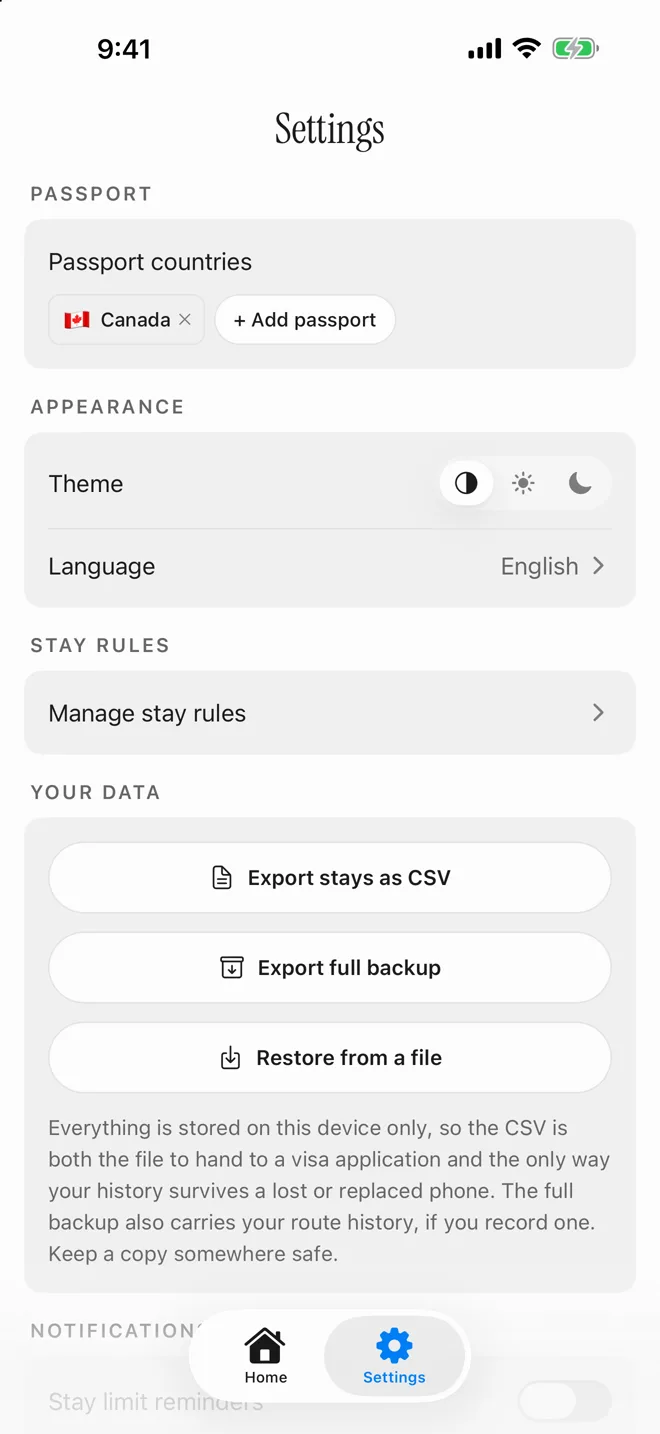
Everything is stored on your device, with no account and no cloud copy, so deleting the app deletes your history. Back it up from Settings → Your data:
- “Export stays as CSV” creates a file of your stays, which you can also use for a visa application.
- “Export full backup” also includes your route history, if you record one.
- “Restore from a file” brings an exported file back, for example on a new phone. It replaces everything currently in the app.
What DaysHere does not do
DaysHere counts days against the rule you set. It does not know your full immigration status, and it does not give legal or immigration advice. Being within a limit is not a right of entry, so confirm the rules that apply to you with official government sources.
Good to know
Is DaysHere free?
Yes. There is no subscription, no in-app purchase and no account.
Do I have to allow location access?
No. You can log every stay by hand. Location access is only needed for the optional country detection and tracking features.
Can I add trips I have already taken?
Yes. Add a stay with its past entry and exit dates, and it counts towards the rule from those dates.
How do I move my history to a new phone?
Export a full backup or a CSV from Settings → Your data, keep the file somewhere safe, and use “Restore from a file” on the new phone.
Is DaysHere available on Android?
No. DaysHere is an iPhone app. The Schengen 90/180 calculator on this site works in any browser.